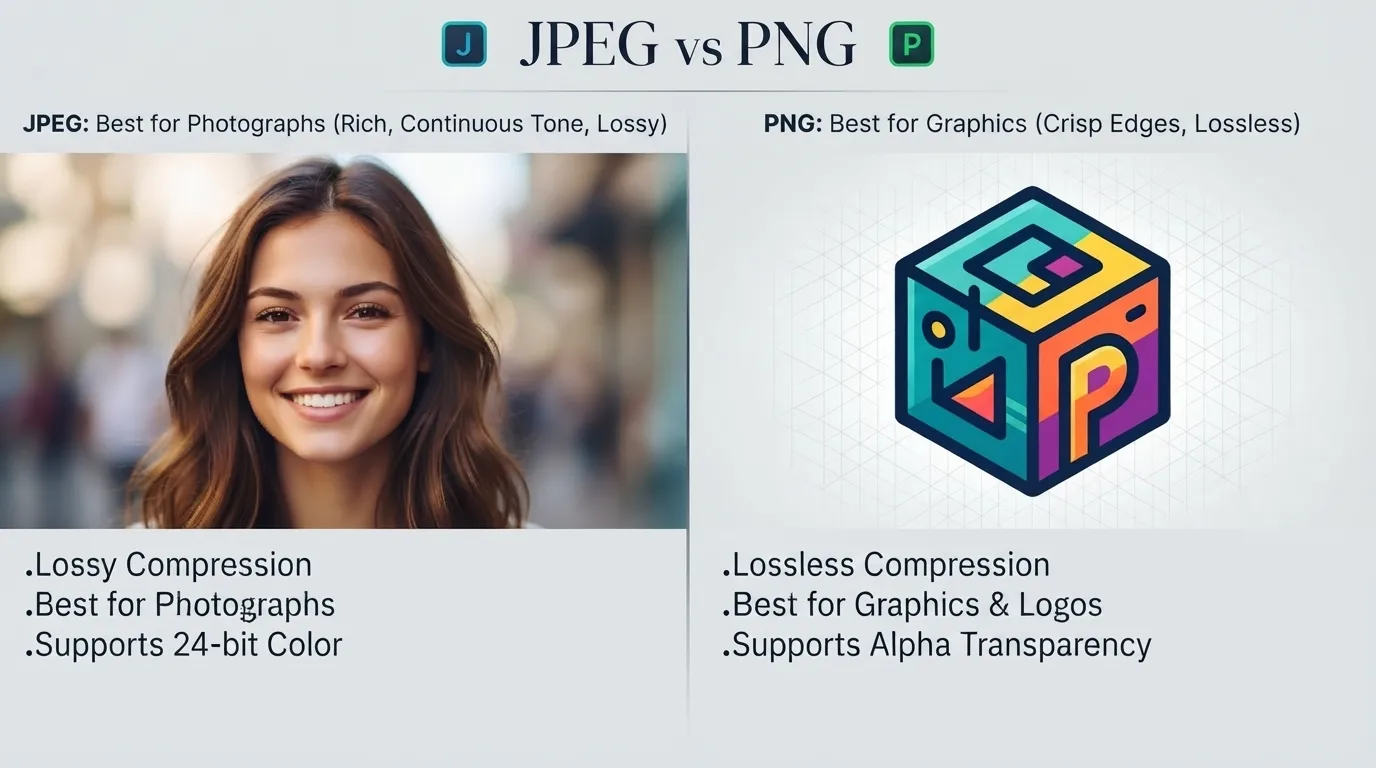
JPEG is a compressed image format best for photos and large images where file size matters, while PNG is a lossless format best for graphics, logos, and images that need transparency.
I once spent an hour uploading a logo to a client website, wondering why it kept showing up with an ugly white box around it instead of blending into the background. The file was a JPEG. Nobody had told me that JPEG cannot handle transparency at all. Switching to PNG fixed it in seconds.
That small mistake taught me something bigger. Most people treat image formats like an afterthought, clicking whatever option pops up first when they save a file. But picking the wrong format slows down your website, blurs your graphics, or breaks your design entirely.
This guide breaks down exactly when to use JPEG and when to use PNG, without the technical jargon. You will walk away knowing exactly which format fits your next image, every single time.
JPEG or PNG: Quick Answer
JPEG compresses images by removing some data, which shrinks file size but slightly reduces quality. It works best for photographs with lots of colors and detail.
PNG keeps every pixel of data intact, which means larger files but perfect quality. It works best for logos, icons, screenshots, and anything needing a transparent background.
A quick example makes this click instantly. A sunset photo looks great as a JPEG because tiny quality loss goes unnoticed. A company logo looks broken as a JPEG because compression blurs its clean edges.
The Origin of JPEG and PNG
JPEG stands for Joint Photographic Experts Group, the committee that created the format back in 1992. Their goal was simple: shrink photo file sizes without the human eye noticing much difference. It became the internet’s default photo format almost overnight.
PNG stands for Portable Network Graphics and arrived a few years later, in 1996. It was built as a free alternative to another format that ran into licensing problems. PNG’s creators focused on lossless compression and transparency support, two things JPEG never offered.
The confusion between them exists because both are common image formats you see everywhere online. But their goals were completely different from the start. One prioritizes small size. The other prioritizes perfect quality.
JPEG vs PNG: Key Differences
| Term | Meaning | When to Use | Region/Context |
|---|---|---|---|
| JPEG | Compressed, lossy image format | Photographs, large images, web banners | Universal, all platforms |
| PNG | Lossless image format with transparency | Logos, icons, screenshots, graphics | Universal, especially web design |
Example with JPEG: A travel blog uses JPEG for its gallery of vacation photos to keep page load times fast.
Example with PNG: An ecommerce site uses PNG for product icons so they stay crisp on any background color.
The core difference comes down to compression. JPEG throws away some image data every time you save it. PNG never throws anything away, which is why it handles text, sharp lines, and transparency so much better.
Which Format Should You Use?
For photographers and photo heavy websites, use JPEG. Photos have millions of colors and subtle gradients, and JPEG compression barely affects how they look while keeping file sizes manageable.
For designers working with logos or icons, use PNG. Clean lines and flat colors stay sharp, and transparency lets your graphic sit naturally on any background.
For anyone building a website, use both strategically. JPEG for hero images and photo galleries, PNG for logos, buttons, and anything layered over other content.
For social media posts with text overlays, use PNG. JPEG compression can blur small text, while PNG keeps every letter crisp and readable.
Common Mistakes with JPEG and PNG
| Mistake | Correction | Why It Happens |
|---|---|---|
| Saving a logo as JPEG | Save it as PNG instead | Most people default to JPEG without thinking about transparency needs. |
| Using PNG for every photo on a website | Use JPEG for photos to reduce load time | Some assume PNG always means better quality, but it also means bigger files. |
| Repeatedly saving and resaving a JPEG | Edit from the original file each time | Every JPEG resave adds more compression and quality loss. |
| Expecting transparency from a JPEG | Switch to PNG for transparent backgrounds | JPEG simply was never built to support transparency. |
| Uploading huge PNG files without compressing | Compress PNGs using an image tool first | Large PNG files can slow down a website significantly. |
A simple rule fixes most of these problems. Ask yourself if the image is a photo or a graphic. Photos lean JPEG. Graphics lean PNG.
JPEG and PNG in Real World Examples
Professional email: “I have attached the product photos as JPEG files to keep the email size manageable.”
News headline: “Website slowdown traced to oversized PNG images across homepage.”
Social media post: “New logo just dropped! Grab the transparent PNG version from the link in bio.”
Formal document: “All chart images in this report should be saved as PNG for print clarity.”
Design brief: “Please deliver the final icon set as PNG files with transparent backgrounds.”
Each example shows the same pattern. Photos and casual sharing lean toward JPEG. Anything needing sharp detail or transparency leans toward PNG.
JPEG vs PNG: Data, Trends and Usage
Search interest for “jpeg or png” spikes heavily among web designers, small business owners, and content creators trying to optimize their websites. Page speed has become a major ranking factor, which pushes more people to research image formats than ever before.
JPEG remains the dominant format across photography sites, news outlets, and social platforms, largely because photos make up most online image content. PNG usage grows fastest in design tools, branding projects, and any platform requiring transparent graphics.
The search intent behind this keyword is mostly informational, though it often leads to a commercial decision, since many searchers are choosing a format for a website, app, or design project. This matters right now because slow websites lose visitors fast, and choosing the wrong format is a common, avoidable cause.
Standalone Comparison Table
| Term/Variant | Meaning | Region/Context | Best Used When |
|---|---|---|---|
| JPEG | Compressed photo format | Photography, web, social media | Saving photos and large images |
| PNG | Lossless graphic format | Design, branding, web graphics | Saving logos, icons, and transparent images |
Frequently Asked Questions
Q: What does JPEG mean?
A: JPEG stands for Joint Photographic Experts Group, the organization that created this compressed image format for photographs in 1992.
Q: What does PNG mean?
A: PNG stands for Portable Network Graphics, a lossless image format created in 1996 that supports transparent backgrounds.
Q: JPEG vs PNG, what is the main difference?
A: JPEG compresses images and loses some quality to shrink file size, while PNG keeps full quality and supports transparency but creates larger files.
Q: Is PNG better than JPEG for quality?
A: Yes, for exact quality PNG wins since it never removes image data. However, JPEG quality loss is often invisible to the eye for photographs.
Q: Which format loads faster on a website, JPEG or PNG?
A: JPEG usually loads faster for photos because its smaller file size reduces load time, which also helps search rankings.
Q: Where does the JPEG format come from?
A: JPEG comes from a 1992 standard created by the Joint Photographic Experts Group, a committee formed to solve the problem of large photo file sizes.
Q: Can JPEG support a transparent background?
A: No, JPEG cannot support transparency at all. Any transparent area gets filled with a solid color, usually white.
Q: Should I use PNG for social media graphics with text?
A: Yes, PNG keeps text sharp and readable, while JPEG compression can blur small letters and fine details.
Final Thoughts
JPEG and PNG solve two different problems, and knowing which one fits your image saves you time, storage space, and design headaches. JPEG handles photos beautifully by shrinking file size with barely noticeable quality loss. PNG handles graphics beautifully by preserving every pixel and supporting transparency.
The next time you save an image, pause for a second and ask what the image actually is. A photo points you toward JPEG. A logo, icon, or graphic points you toward PNG.
Bookmark this guide so you always pick the right format on the first try, and share it with anyone still guessing between JPEG and PNG.
See More: Bellow or Below: The Real Difference Explained

Hey, I’m Ayeza. I started this site because I kept hitting the same wall over and over: typing a word, freezing, and not trusting my own instinct on the spelling. Now I research these mix-ups properly so you don’t have to, and I write every guide the way I wish these explanations had been written for me.